
Features › Day Sheet and Day View
Day Sheet and Day View
Everything for one day of the tour on one screen, from venue access to bus call.
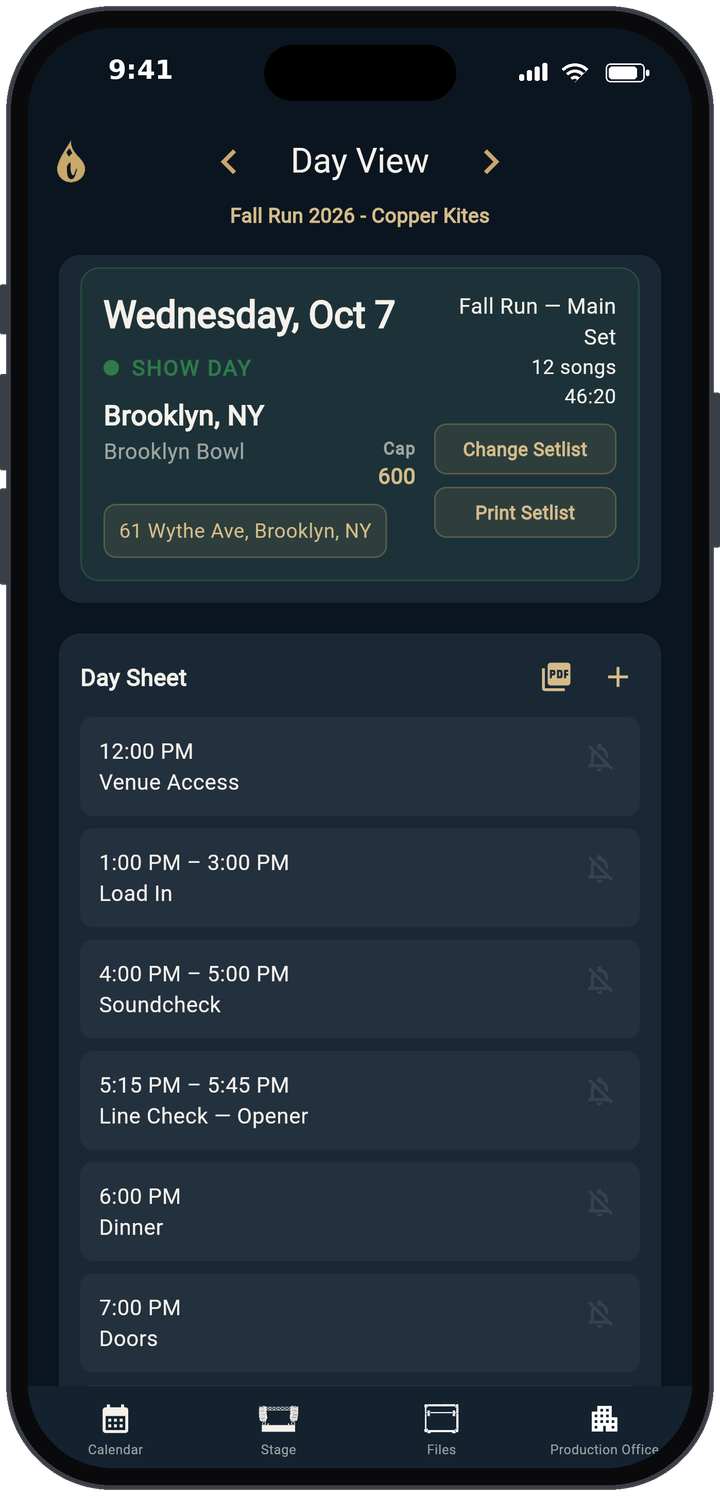
What Day View shows
Tap any day on the Calendar and Day View opens. Use Previous Day and Next Day (the arrows beside the title) to move through the tour.
- Show header: the date, a colored day-type label (SHOW DAY, TRAVEL DAY, OFF DAY or REHEARSAL), city, venue and Cap (capacity). The address button opens your maps app of choice: Google Maps, Apple Maps, Waze, Hammer or the system default (set in Preferences → Maps).
- Day Sheet: the schedule in time order. Each item has a title, an optional address and start and end times.
- Notes: parking, Wi-Fi, showers, drive times, anything else.
- Lodging and Flights: the hotel with confirmation and a tap-to-open address, plus any flights that day.
- Contacts: the people for this day, with tap-to-call and tap-to-email.
- Show days also get Hospitality, Tech Rider, Tickets Sold (with percent of capacity, or SOLD OUT) and Guest List boxes.
Export the day sheet as a PDF
Tap Export PDF in the Day Sheet box. The PDF is saved in your Files library (Files › Day Sheets), ready to text, email or print for the venue. The guest list and hospitality rider export the same way.
Reminders on your phone
Turn on Day Sheet Notifications in Preferences (Production Office → Profile, the person icon at the top right) and each day sheet item shows a bell. Tap the bell on the items you care about and the iPhone or Android app reminds you before they start. Pick the lead time under Reminder, from 5 minutes to 1 hour. The web app doesn't send reminders.
Who sees what
Every box in Day View follows the access you set for each person. Someone without view access to a box sees the message "Ask [owner] for permission to view." when they tap it. See crew sharing and permissions.
Learn more
- Every button and setting: user guide
- How to make a tour day sheet
- How to advance a show
- How to plan soundcheck and line check
- Drive time and lobby call calculator
Free templates
Open TRMNGR Quick start